
Wind farm performance, from evidence to improvement
Insights continuously assesses wind resource and operational performance, identifies the key issues, and connects evidence, investigation, actions, follow-up and validation in one workflow.
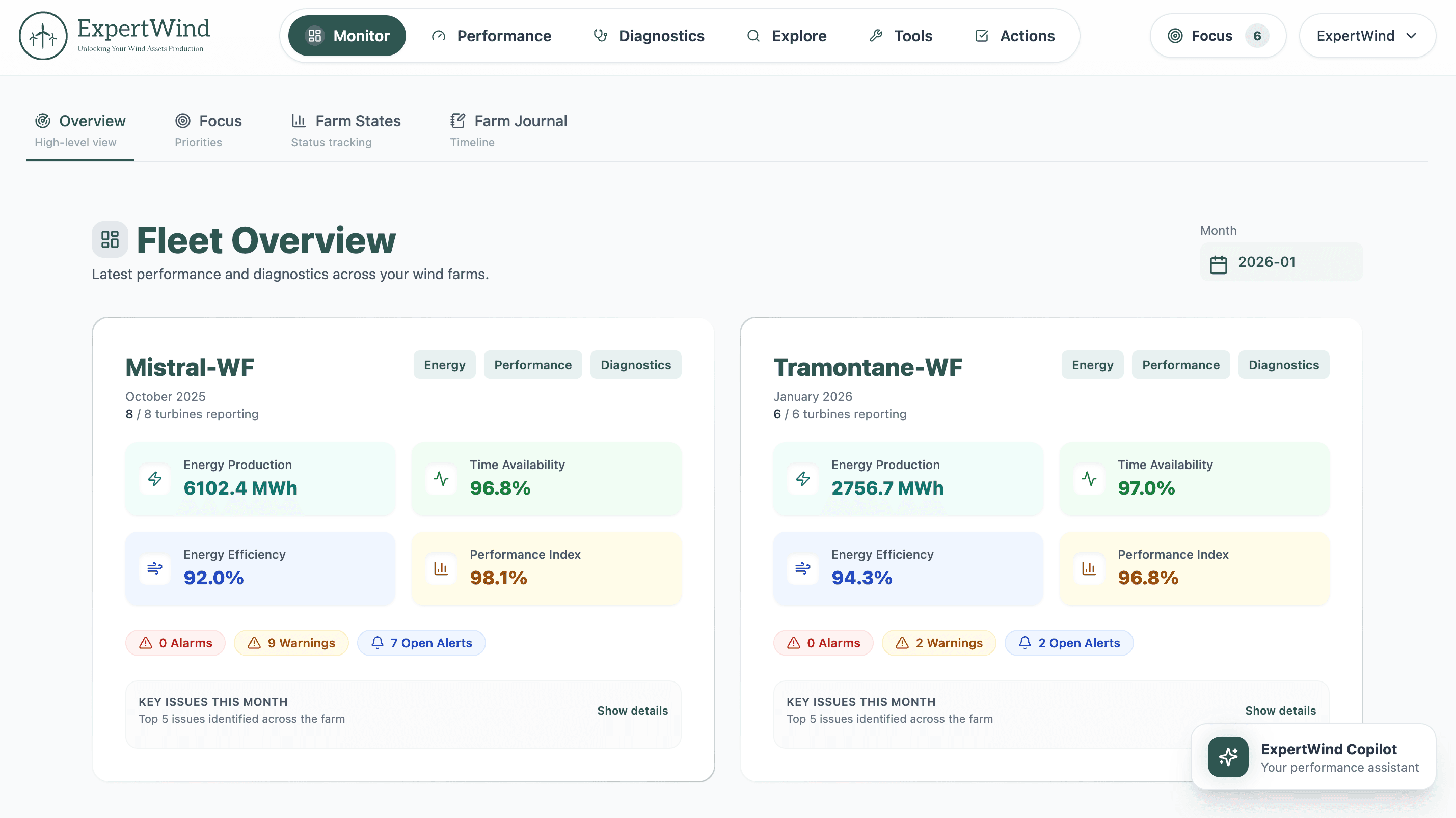
One connected workflow from data to validated improvement
Insights is designed around the full performance process, not just the dashboard. Data, assessment, investigation, prioritisation, actions, follow-up and validation stay connected from the first analysis through to the final result.
Built from the data available across the wind farm
Insights combines operational measurements with turbine logs, wind resource information, turbine specifications and wind farm layout to establish the context required for reliable performance assessment.
Turning operational data into reliable performance results
Engineering and data-driven methods establish expected behaviour at farm and turbine level, account for wake and local inflow effects, calibrate and correct the data used in the assessment, and identify deviations that require investigation.
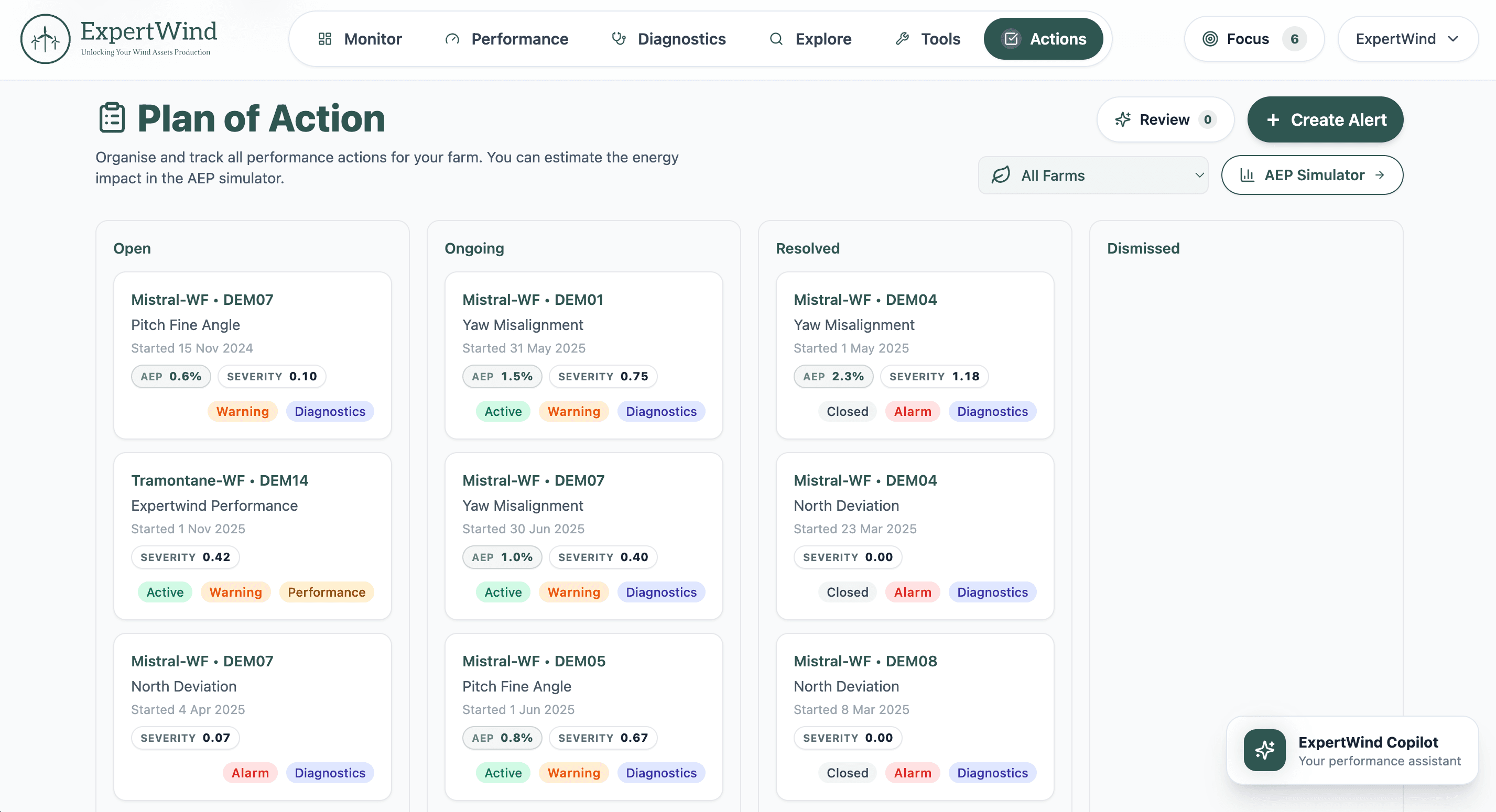
The next step is already connected to the evidence behind it
Findings stay connected to the work that follows. Teams can move from evidence and priorities into actions, track progress and return to the result to confirm whether the improvement was delivered.
A complete view of wind farm performance
Five analytical areas work together to connect wind resource, energy yield, turbine performance, diagnostics and turbine logs in one assessment workflow.
Wind Resource
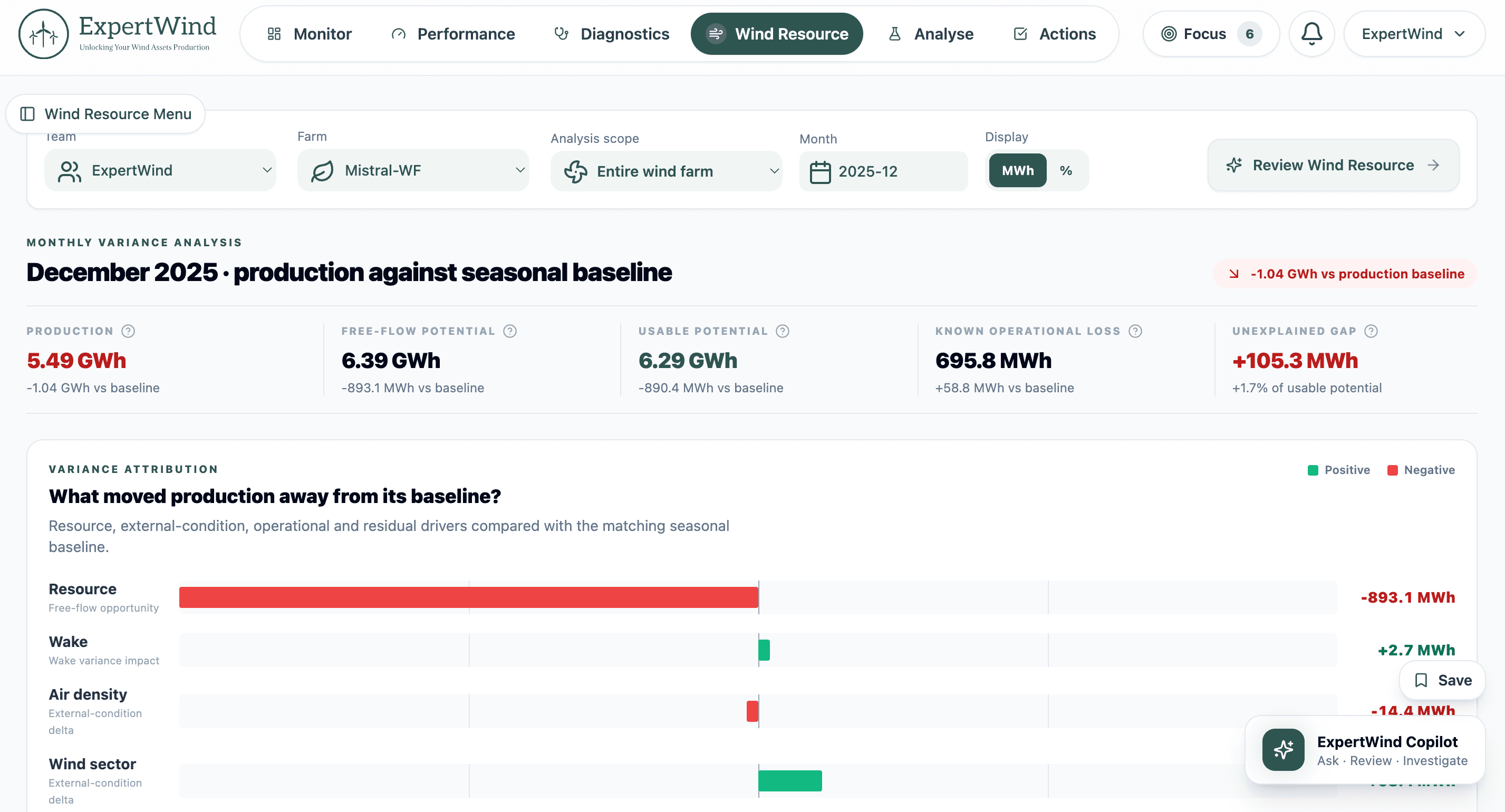
Put production in the context of the wind available to the farm. Separate changes in wind resource from changes in turbine performance, quantify the effect of wake and external wind conditions, and identify the remaining unexplained gaps.
Know what changed. Focus on what matters.
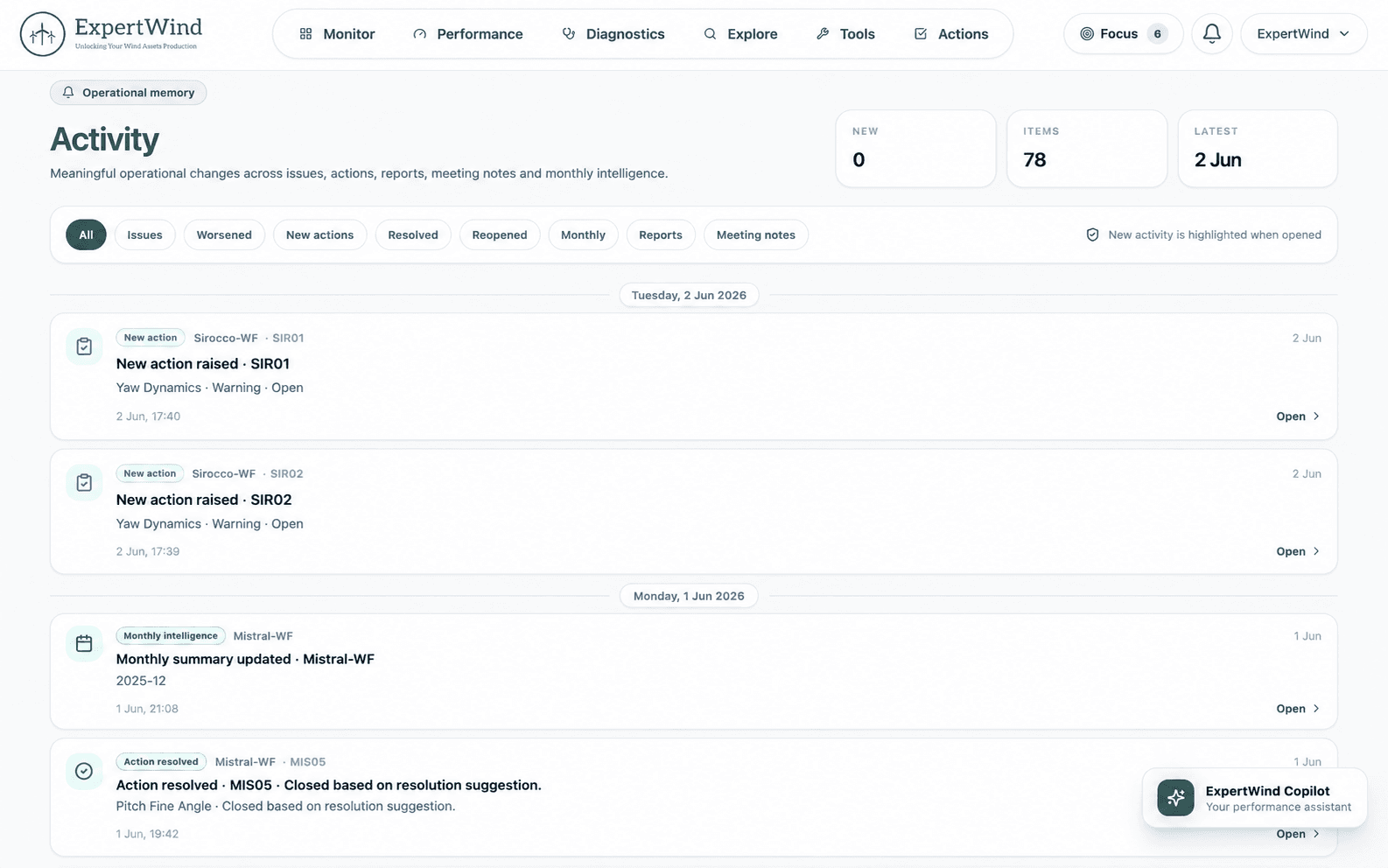
Insights keeps performance work moving by bringing forward meaningful changes, issues, action progress and monthly results, with the supporting evidence kept close to the work that follows.
Operational activity
Review new and worsened issues, action changes and monthly reports in one chronological record, with direct access to the relevant result or review.
Weekly email update
Receive a focused email when meaningful activity has occurred across your wind farms, highlighting the issues and actions that need attention.
Monthly performance review
Review production, resource variation, losses, performance and the turbines requiring attention in a structured monthly summary.
A complete performance workspace with Copilot built in
Investigate performance, build the review and manage follow-up with the relevant context, evidence and outputs kept together in one persistent workspace.
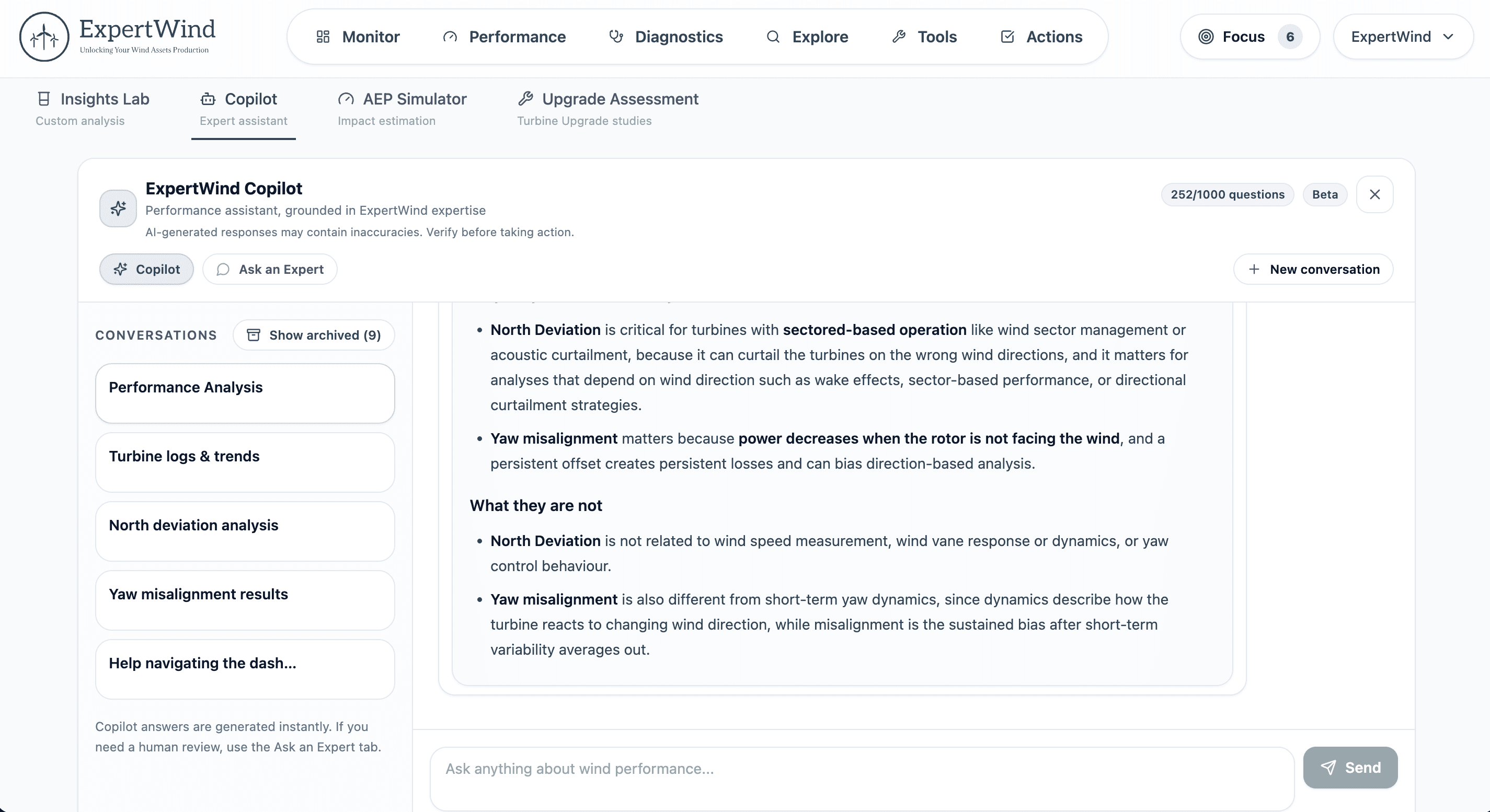
Keep the work and evidence together
Questions, evidence, conclusions and context stay with the review as the work develops and continues over time.
Work with the full performance context
Copilot works directly with performance results, issues, priorities, actions and supporting evidence across Insights.
Current Priorities
Start with the alerts, issues and monthly findings that deserve attention first, with the supporting evidence already connected.
Understand the result
Ask questions about performance and evidence, review the supporting context and understand what is driving the result.
Build the engineering review
Work through the evidence with Copilot and keep conclusions, reasoning and supporting context together.
Prepare the outputs
Generate summaries, internal notes, O&M correction requests and issue-specific Evidence Reports.
Move into follow-up
Raise actions, review issues and continue the work without losing the technical context.
Bring ExpertWind Insights into your systems
Connect API provides secure, structured read-only access to Insights results, corrected data, issues, actions, monthly monitoring and selected timeseries for use in external applications and reporting.
Structured access to Insights
Retrieve assets, issues, actions, monthly monitoring and selected analytical results for external applications and reporting workflows.
Controlled access to your assets
Create scoped API credentials for all farms or a selected subset, with read-only access and additional security verification for sensitive key actions.
Built for integration teams
Use API documentation covering authentication, access rules, quick-start workflows, request examples and detailed endpoint references.
Connect Insights to your existing workflow
Bring ExpertWind Insights performance results, corrected data and detected issues into the systems and reports your team already uses.
Choose the setup that fits your performance work
Explore Insights for free, use it through a focused fixed-term campaign or make it part of your ongoing performance workflow.
Free
Explore the Insights workflow and start reviewing wind farm performance, evidence, issues, actions and Copilot in one connected environment.
- Access the core Insights experience
- Review performance results and supporting evidence
- Explore issues, actions and follow-up workflows
- Use ExpertWind Copilot from the start
Campaigns
Use Insights for a defined period and scope to assess wind farm performance, review the main technical and operational findings, and establish clear priorities for follow-up.
- One wind farm and a fixed period
- Full Expert-tier access
- Dedicated performance expert
- Setup, data connection and recurring imports handled by ExpertWind
Monitoring
Use Insights as an ongoing performance workflow with automated data processing, continuous assessment, expert review and structured follow-up.
- Continuous visibility into wind resource, energy yield, turbine performance, diagnostics and turbine logs
- Prioritised issues and supporting evidence
- Weekly updates and monthly reviews
- Action tracking, follow-up and validation
Compare plans and access options
Review Free, ongoing monitoring and fixed-term campaigns to choose the right way to use Insights.
See how Insights can improve wind farm performance
Explore the complete workflow from continuous assessment and engineering evidence through priorities, Copilot reviews, actions, follow-up and validated improvement.